Checked 23 Oct 2026 · Official notes, dated guides and player footage · No firsthand game testing
!
Old money guides need a price check. Binoculars now cost $180, not $75. A basic parachute is $500, not $100. The developer announced removal of the Blue team cash bonus on 15 October. [1][4]
01 / START WITH YOUR ACCESS
What can you do this match?
These are starting points, not a measured profit ranking.
START WITH SPOTTING
Check that you can buy and use binoculars. They cost $180 in the Season 2 notes; weapon, ammunition and protection are additional. Spotting still pays, but the amount varies with the target.
An item’s buy price is not always its entry cost. The Wolf-110 is $2,200 per purchase, but its published gate is Driver level 8 plus a $50,000 unlock. Check both the level and the unlock before choosing a route. [1]
02 / KNOW THE BOUNDARIES
Cash in. Costs out.
A gross action reward is not your profit.
Published Season 2 money methods and the costs not included
Check the current payoutNo current air-specific per-passenger total verified here
Aircraft access, flight skills and a safe delivery plan
Aircraft, unlock, countermeasures, fuel and passenger losses all matter; no hourly estimate
Delivery figures above use the corrected Control Zone values in the Season 2 notes. The general “player delivered” entry is $100; the ground-vehicle entry is $350. Do not add them together.[1]
QUICK REFERENCE
Check the base cash for completed deliveries.
Use this to read the published rates. Streak bonuses, Hot Zone changes, item costs and losses are excluded.
03 / FROM PURCHASE TO PAYOUT
Take one route into the match.
Practical steps below combine published rules with dated guide instructions. Community-only checks are labelled.
A
ON FOOT
Spot targets your team can use.
Variable reward
Check your available kit. The current published binocular price is $180. Confirm it is available in your vendor, then include ammunition, protection and medical supplies in the rest of your bill. An optional AK74 is listed at $800; a rifle plus binoculars is $980 before the rest of the kit, not a complete budget build. Season 2 unlocks the AK74 and its 30-round magazine by default; that does not establish what comes loaded with a purchase. [1]
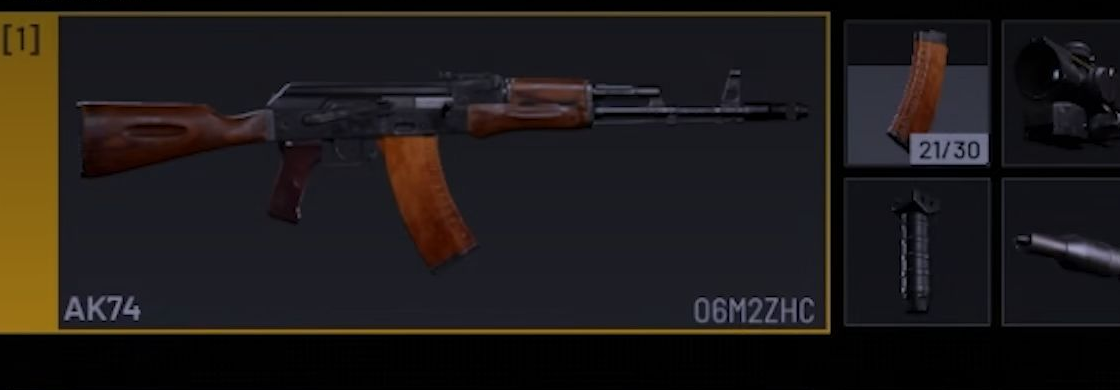
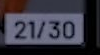
Check the rounds inside your magazines. Loose rounds, spares and the magazine in your rifle are separate. In the recorded AK74 sequence below, filling a spare leaves the rifle at 3/30; after a magazine change and an encounter, the rifle reads 21/30 and the backpack has a 3/30 spare. Check both before a fight. [15] The inventory shows C — Combine Ammo in that player’s setup; the physical input and default binding are unverified. [7] A separate clear inventory frame is shown afterwards. [14]
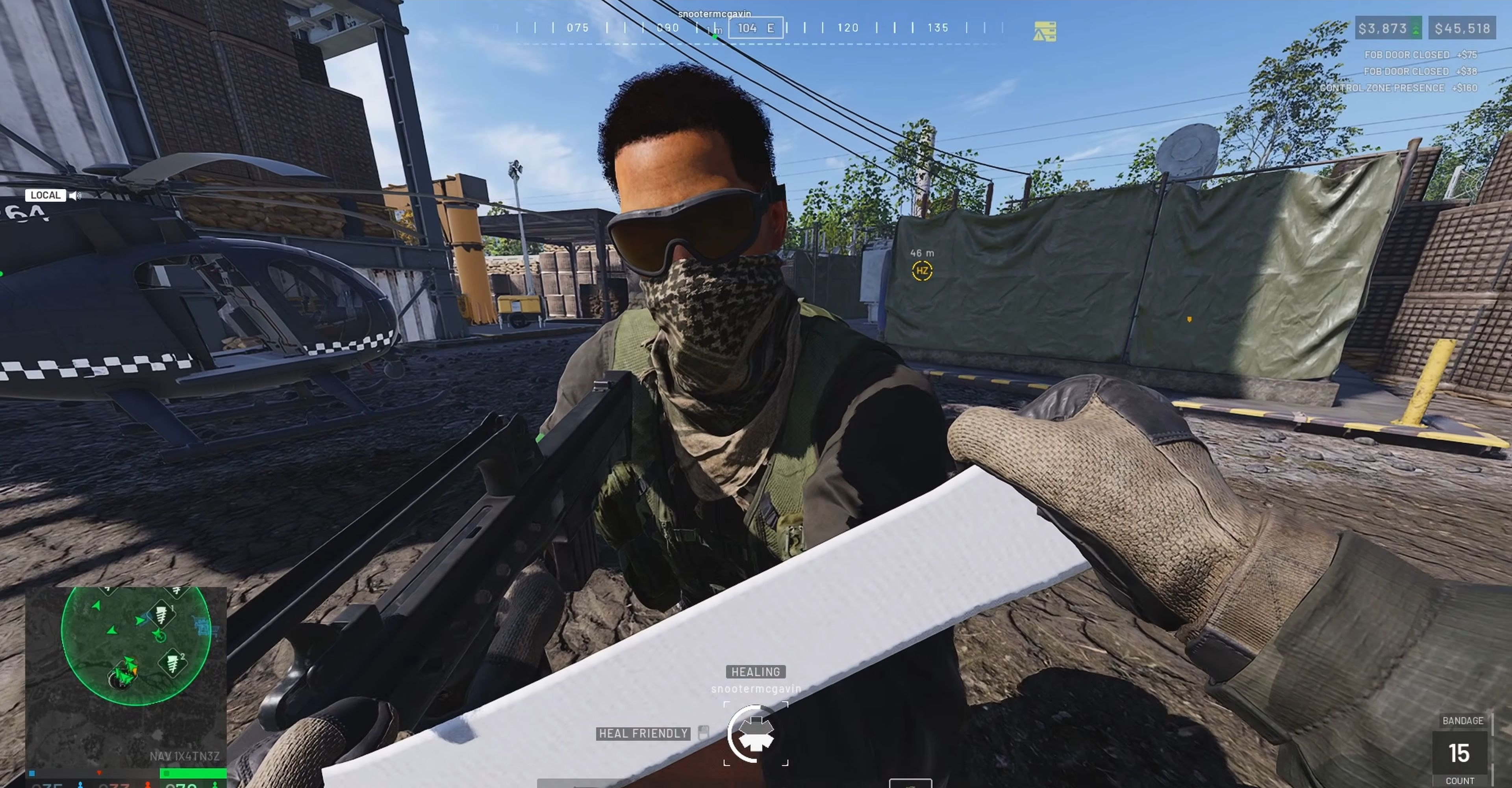
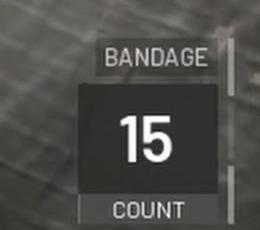
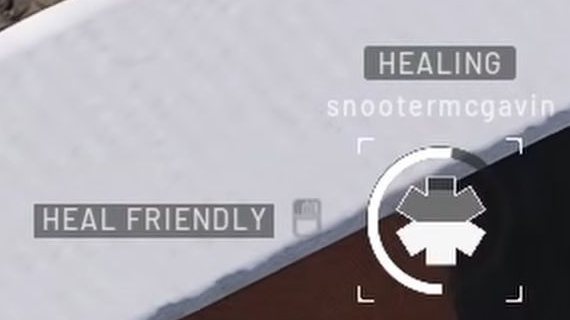
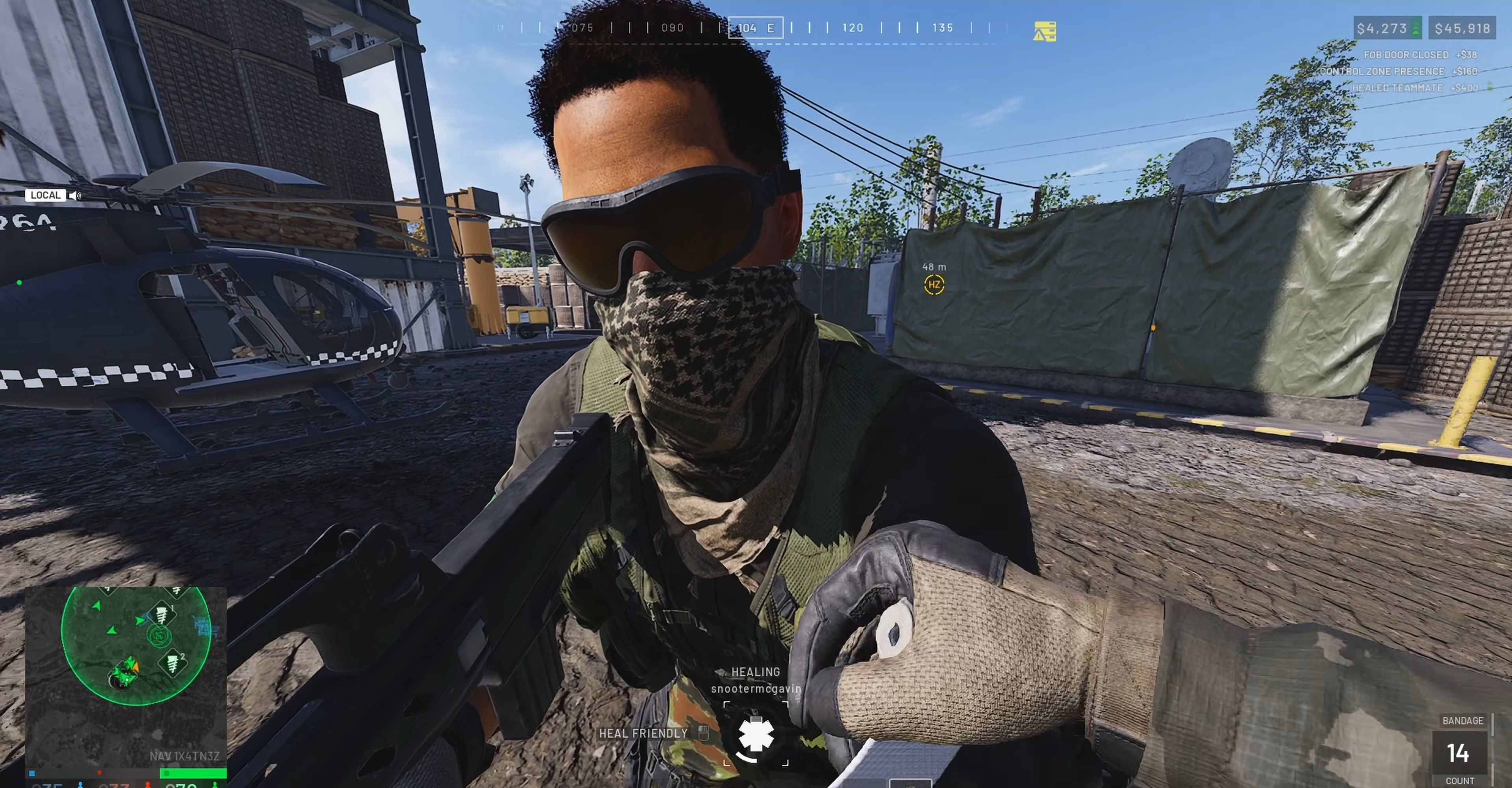
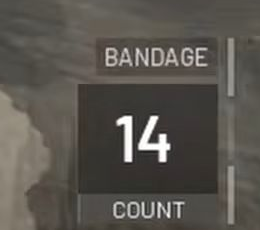
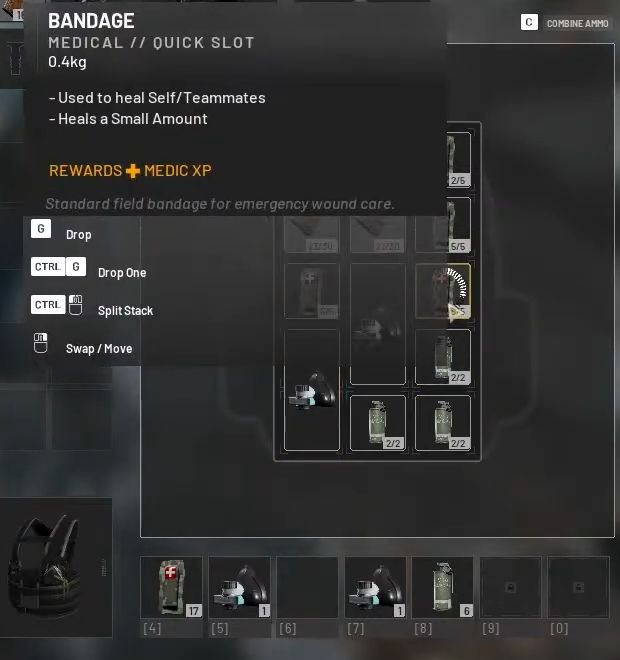
Equip bandages to treat a nearby teammate. Face the injured player and use the on-screen Heal Friendly action. Season 2 medic footage shows BANDAGE selected and its count falling from 15 to 14 during treatment. Check the remaining count before helping someone else. [8] Another Season 2 stream shows a Bandage already in the hotbar position labelled [4]. Check your own slot and controls; the assignment action and default key are still unverified. See the inventory frame. [10]
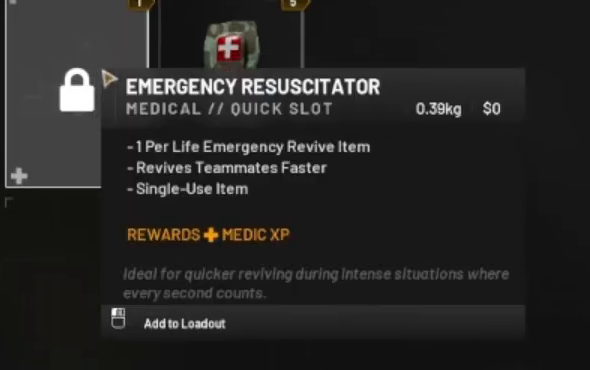
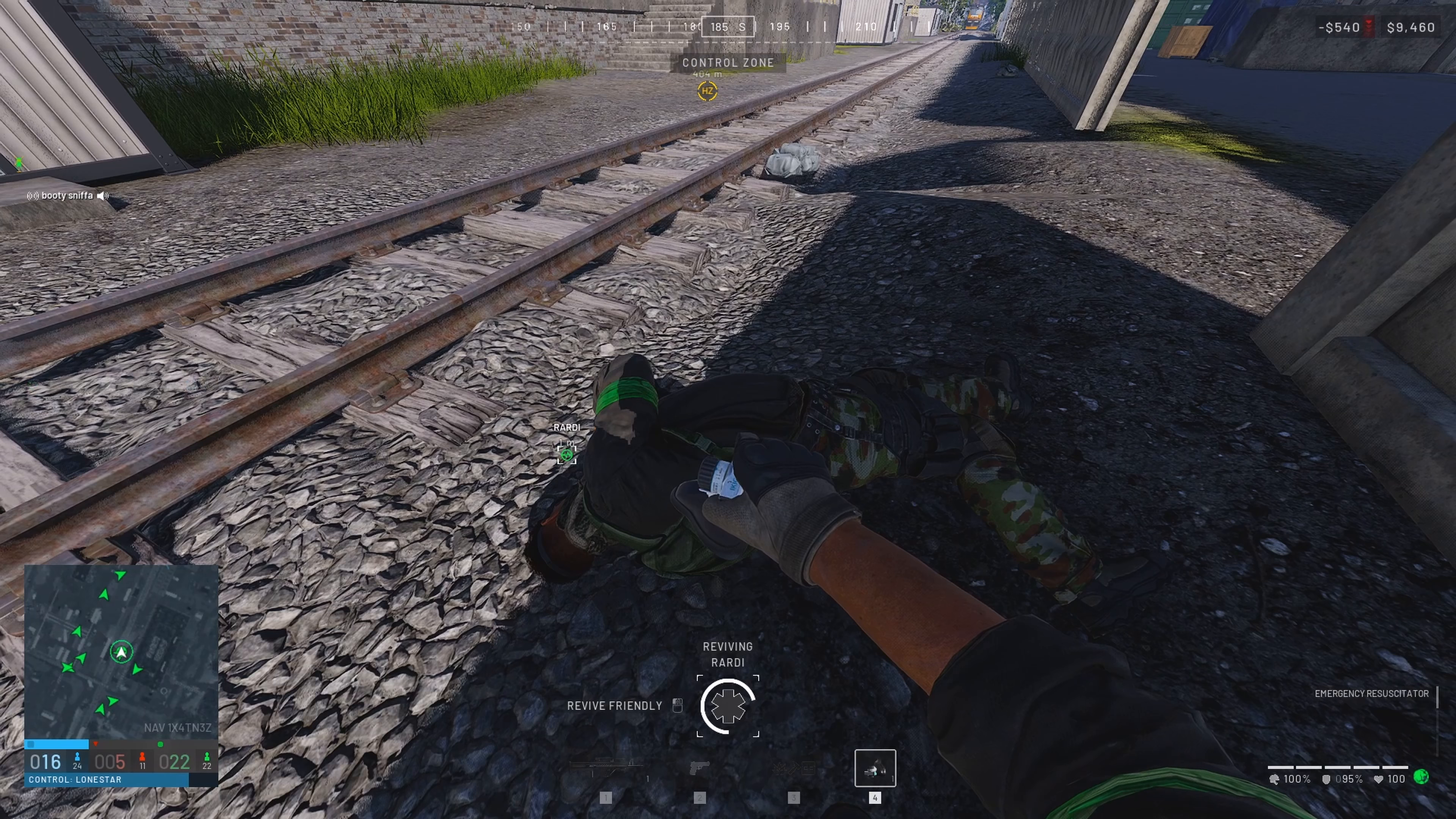
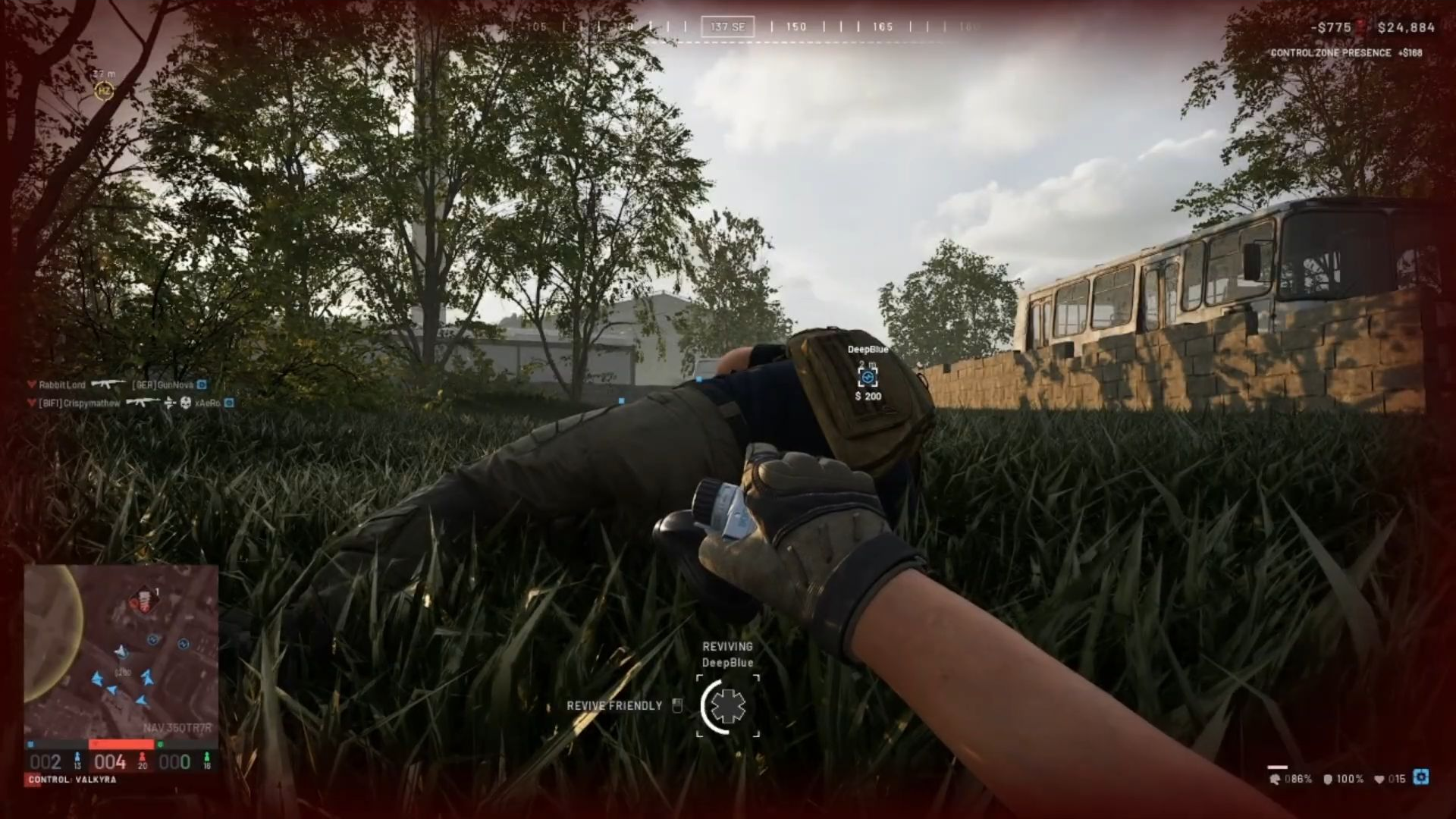
Check the named free revive item. A Season 2 vendor sample lists Emergency Resuscitator at $0, with 1 Per Life and Single-Use Item in its tooltip. The same player later selects it by name and revives DeepBlue; Player Revive appears after the interaction. Use your assigned slot and the Revive Friendly prompt. The assignment method, default key and numeric inventory decrement are still unverified. See the vendor and use frames. [11]
Find sightlines your team needs. Look toward active enemy routes, vehicles and structures. Use the spotting device to mark targets. The launch guide describes keeping the reticle on a target and reacquiring marks; that operating advice has not been retested here in Season 2. [5]
Choose useful targets, then stay involved. Season 2 scales spotting rewards with target value and reduces them by about 30% overall. Rain also affects spotting range. The notes do not give a universal cash amount per infantry mark. [1]
Read the reward you actually receive. Track your cash before and after completed actions. If the third faction destroys a target you marked, the published share is now 25%, down from 50%. One old spotting example is not a universal cash rate. [1]
ONE PLAYER / RELOAD AND ENCOUNTER
Follow one AK74 magazine swap.
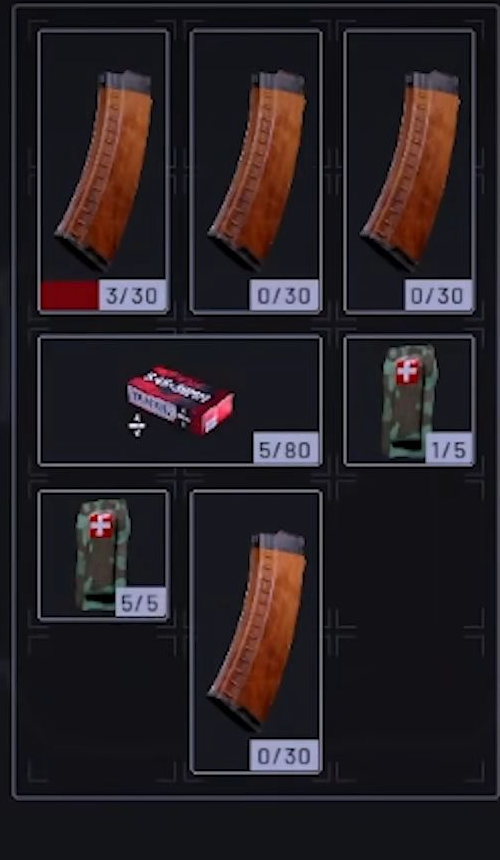
CommanderPorki’s local Season 2 sequence keeps the rifle at 3/30 while a spare fills from 10/30 to 22/30 and loose ammunition falls from 17/80 to 5/80. A magazine-change animation and an encounter follow. The next inventory shows 21/30 in the rifle, a 3/30 spare and the same 5/80 loose stack. Both rifle panels show serial 06M2ZHC. [15]
Video time
Loaded
Spare
Loose
18:49.2
3/30
10/30
17/80
18:53.3
3/30
22/30
5/80
19:19.5
21/30
3/30
5/80
The other three visible backpack magazines read 0/30 in all three inventories. Shown rounds: 3 + 10 + 17 = 30 → 3 + 22 + 5 = 30 → 21 + 3 + 5 = 29.
Shown versus inferred: this is a one-round net inventory decrease across the reload and encounter. A loaded 22/30 immediately after the swap fits the exchange, but that intermediate numeric inventory is not displayed. This is not an independently counted shot or a default-control test. The final inventory is locked after the player is downed.
The rifle and backpack within each timestamp are exact crops from the same browser-captured video frame. These are separate from the MxgicFPS and MattiAce samples. No purchase contents or complete loadout bill is established.
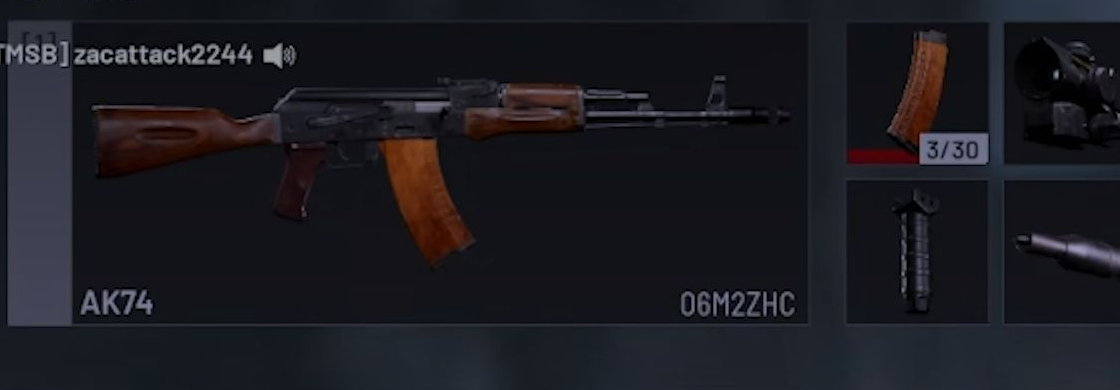
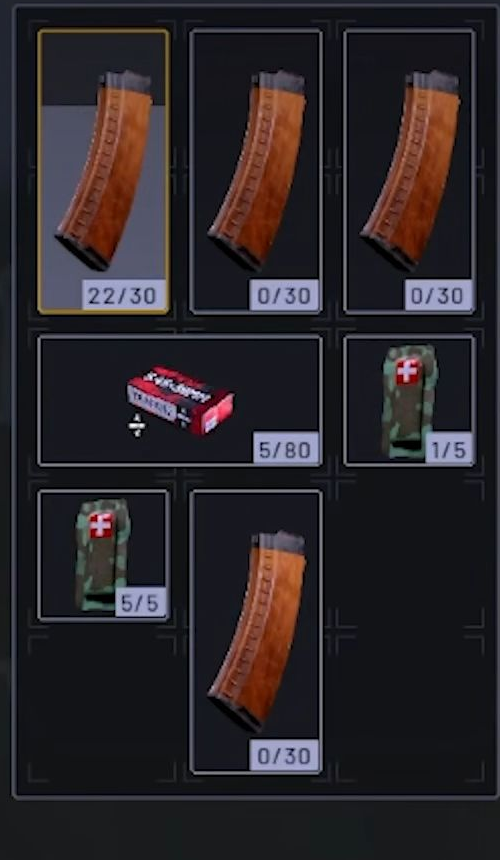
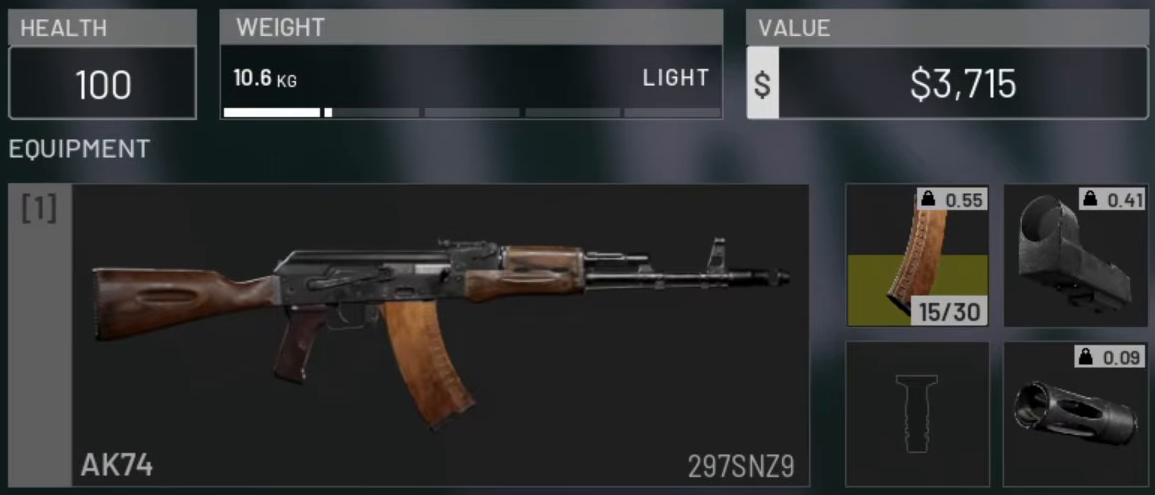
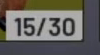
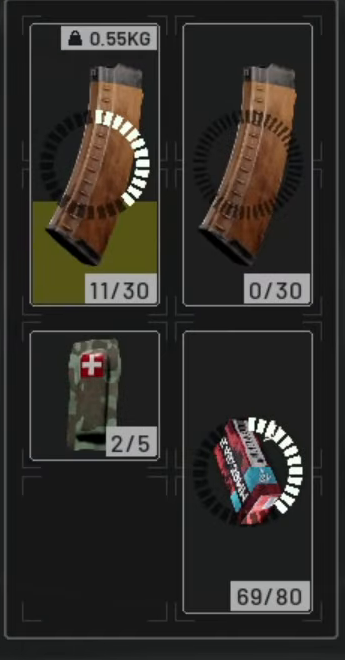
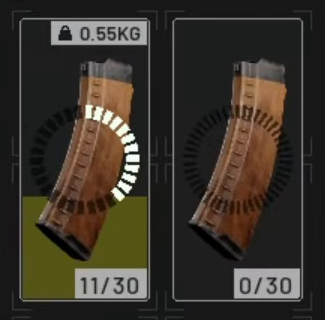
One inventory frame at 07:40 in MxgicFPS’s Season 2 recording shows 15/30 attached to the AK74, 11/30 and 0/30 in the backpack, and loose rounds at 69/80. The panels and details below all come from that same 4K frame. A single inventory state does not establish a full firing-and-reload chain. [14]
Loaded · 15/30
07:40 · Attached magazine: 15/30Read the counter attached to the rifle separately from the backpack magazines.Open original PNG · 1155 × 495 ↗
Backpack · 11/30 and 0/30
Same 07:40 frame · Backpack: 11/30, 0/30The loose-ammunition stack reads 69/80 in the full panel. These are that player’s observed inventory readings, not default purchase contents.Open original PNG · 345 × 660 ↗
MxgicFPS’s 18 Oct Season 2 footage, paused at 07:40. The older CommanderPorki ammunition-transfer and MattiAce post-reload observations are separate recordings; their counts are not combined with this frame. Purchase inclusions, the full numerical reload sequence and the candidate’s payment remain unverified. [14]
One teammate-treatment sequence, two count readings. Fresh 4K frames are followed by original-pixel HUD details so the item name, count and treatment prompt remain readable.
SirSmoken’s Season 2 medic footage, recaptured around 01:38.28 and 01:41.28 in 4K. This confirms the displayed count change; it does not show hotbar assignment, the free Emergency Resuscitator, or the starter kit’s checkout. [8]
A different Season 2 player has a Bandage in the position labelled [4]. This shows the populated slot in that player's setup. It does not show the assignment action or establish a default key.
Matching Bandage icon in slot [4]
02:06:22 · Bandage in slot [4]The named Bandage tooltip and populated hotbar are in the same fresh 1080p frame. The separate detail below preserves the icon and [4] label at their original pixel size.Open original image · 620 × 660 ↗
Late Night Stream's 17 Oct 2026 Season 2 livestream, recaptured around 02:06:22.24 at 1080p with player captions off. The cursor is over a backpack Bandage; its matching icon is also visible in the hotbar. No drag or keypress is shown. This frame does not identify the free Emergency Resuscitator or verify its use, consumption, purchase inclusions, or the candidate kit's payment. [10]
The vendor names the $0 item. A separate 4K Season 2 recording clearly shows Emergency selected while reviving RARDI. The DeepBlue revive sample below comes from the vendor recording. Assignment method, default key and numeric inventory depletion remain unverified. [11][13]
00:43 · Named item, $0The 1080p tooltip detail identifies Emergency Resuscitator, $0, one per life and single use. It does not establish automatic inclusions or the full kit's payment.Open original image · 590 × 370 ↗
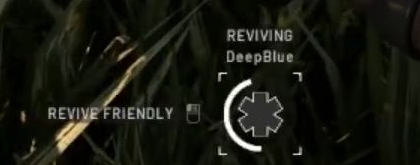
About 03:00 · Reviving DeepBlueThe same-frame detail preserves REVIVING DeepBlue and REVIVE FRIENDLY. PLAYER REVIVE follows around 03:03. Being downed immediately afterward does not establish a zero inventory count.Open original image · 1920 × 1080 ↗
Vendor and DeepBlue revive: ScarryPrincess's 15 Oct Season 2 recording, reviewed at 00:43 and 02:51–03:03. Clear named selection while reviving RARDI: SirSmoken's 19 Oct Season 2 recording at 00:22. These are separate videos. No assignment method, default key, numeric inventory depletion, fixed revive reward or candidate checkout is established. [11]
Separate the unlock from the purchase. For the Wolf-110 example, the Season 2 notes list Driver level 8, a $50,000 unlock and a $2,200 purchase. Already owning the unlock changes what you pay now. Another usable vehicle may suit you; this example is not a claim that the Wolf is the cheapest option. [1]
Agree a destination and plan a clean trip. Use the map to check that the destination is inside the Control Zone. As a payout diagnostic, start a fresh HQ-to-zone journey; the HQ-pickup requirement is a community report, not a confirmed official rule. [6]
Deliver the passengers, then check the cash change. The corrected ground-vehicle delivery entry is $350 per player. It replaces the old $500 reference. The general $100 delivery entry is a separate line, not an extra reward to add. [1]
Return for another useful trip. The ground return-trip entry is $150. Player-delivery and return-trip streaks also exist, but the exact bonus progression and reset conditions are not fully documented in the consulted notes. Check the first trips before planning around a long streak. [1]
C
SUPPLY LOGISTICS
Deliver something the FOB needs.
Cargo cost not verified
Confirm the job before buying cargo. Pick a friendly FOB that needs supplies and check its position against the Control Zone. Use a cargo type your available transport can carry; this guide has not verified every vehicle’s capacity.
Write down your actual purchase cost. Include supplies, any vehicle purchase, fuel and personal kit. Reliable current purchase prices for all supply containers were not established from the consulted official notes. A blank price is not free cargo.
Deploy the supplies and check the reward. The listed Control Zone deployment rates are $250 for a small crate, $500 for a large crate and $1,250 for a pallet. The notes also say supply rewards scale with the value of their contents. A partial or empty container is not a full-value delivery. [1]
Repeat a useful route, not an assumed exploit. Consecutive crates and pallets have streak bonuses. The wording does not settle the exact progression or all reset conditions. Repeated sales to the same buyer have diminishing returns; selling to an enemy pays no cash or XP. [1]
D
AIR TRANSPORT / EXPERIENCED PILOTS
Price the risk before taking passengers.
Current fine not verified
Practise before a live purchase. The launch guide recommends the firing range to learn flying without committing a live transport. This is practical launch-era advice, not a Season 2 income test. [5]
Check the aircraft’s unlock and complete bill. Include the aircraft, fuel, countermeasures and passenger safety equipment. Basic parachutes are now $500; Sport Parachutes are $700. Those are individual item prices, not a complete flight budget. [1]
Coordinate a safe delivery and check the result. Launch reports describe delivery income, later passenger assists and losses when passengers die. The Season 2 notes do not separately specify a complete air-delivery settlement formula. A launch-era income example is not a current guarantee. [5][1]
Investigate a loss before repeating it. If passengers jump, die after a drop or die in a crash, compare the actual cash changes. A current cash-fine schedule was not verified. The Season 2 Forgive/Punish system describes disciplinary marks; the notes do not say it refunds a cash penalty. [1][5]
04 / SOMETHING DOESN’T ADD UP
Follow the missing cash.
Start with the reward condition, then the cost.
My delivery paid less than the guide I watched.+
Check the guide’s version first. Season 2 reduced the pallet entry from $2,500 to $1,250 and ground player delivery from $500 to $350. Confirm the FOB is inside the Control Zone and check whether the container’s contents justify full value. Streak wording alone is not enough to reconstruct the exact amount. [1][2]
I delivered players and saw no reward.+
First check the destination, whether the delivery actually completed, and the cash before and after that action. Then try a fresh HQ-to-Control-Zone journey. A current guide relays player reports about HQ pickups and intermediate landings cancelling eligibility; the original player evidence and exact rule have not been independently verified here. Use this as a diagnostic check, not a guaranteed fix. [6]
My spotting income is much smaller now.+
Season 2 lowered spotting income by about 30% and made it depend on the target’s value and construction state. The third-faction destruction share is 25%. Compare like targets and completed events; one infantry mark and one armed vehicle are not equivalent reward events. [1]
The reward appeared, but my balance still fell.+
Separate income from purchases. Add up your weapon, rounds, equipment, unlocks, vehicle, supplies and other expenses. Cash persists between matches, so spending affects later deployments. A published gross reward does not include your bill. This guide does not assume a fixed death-refund percentage. [3]
Should I join Blue for extra cash?+
The launch patch announced a Lonestar bonus, but the official account announced its removal on 15 October. This guide excludes that bonus from all comparisons and arithmetic. The launch notes’ separate losing-team vendor discount is not the same thing. [4][1]
What is the fastest money method, then?+
No comparable current net-income test was found for these routes. Choose a job you have access to, keep a record of actual costs and completed actions, and compare your own trips. Bigger single-action payouts—such as an enemy Havoc’s listed $14,000 destruction reward—do not tell you how often you can complete the job or what it costs. [1]
05 / CHECK THE RECEIPTS
What this guide is built on.
Sources read on 23 Oct 2026; player footage checked through 25 Oct. Later balance changes can supersede these values.
01
Official · Season 02 Patch Notes
BULKHEAD on Steam · posted 14 Oct; season launched 15 Oct. Source for listed prices, unlock gates and revised action rewards.
CommanderPorki · 22 Oct; labelled Season 2. Inventory counts checked at 18:49–18:50. A different kit; no checkout, default purchase contents or medical-key binding verified.
SirSmoken · October 2026 Season 2 medic progression. Selected Bandage, Heal Friendly action and 15→14 count checked around 1:36–1:41. This treatment sample does not show hotbar assignment or Emergency Resuscitator use.
Westie · 15 Oct Season 2 livestream. Live-match vendor at 1:01:52–1:01:57 shows the recruit discount on a different, PP-19 Bizon kit. The earlier firing-range shop is excluded from price evidence.
Late Night Stream · 17 Oct Season 2 livestream. At 2:06:22 the named Bandage tooltip and a matching icon in hotbar position [4] appear together. This inventory sample does not show an assignment action, a default key or free Emergency Resuscitator use.
ScarryPrincess · 15 Oct Season 2 recording. Named $0 Emergency tooltip at 00:43; named selection and DeepBlue revive reviewed at 02:51–03:03. Single-use is tooltip wording; assignment method and numeric inventory depletion remain unverified.
MattiAceGaming · 19 Oct Season 2 FOB defence. The 08:08 inventory reads attached 30/30 and visible backpack magazines 30/30, 22/30. Later looting changes the inventory. No complete numerical firing chain or purchase-inclusion claim.
SirSmoken · 19 Oct Season 2 medic progression. Direct 4K frame at 00:22 shows EMERGENCY RESUSCITATOR selected and REVIVING RARDI in the same frame. No numeric consumption or default binding is inferred.
MxgicFPS · 18 Oct Season 2 progression. Direct 4K frame at 07:40 shows 15/30 attached, backpack magazines 11/30 and 0/30, and loose rounds 69/80. One inventory sample; no complete reload or purchase claim.
Player footage · AK74 reload and encounter comparison
CommanderPorki · 22 Oct, labelled Season 2. Same local 18:48–19:20 continuation: loaded 3/30 and spare 22/30 before the swap; loaded 21/30 and spare 3/30 after the encounter; loose rounds stay at 5/80. Net change is arithmetic; the numeric post-swap/pre-shot midpoint is not shown.
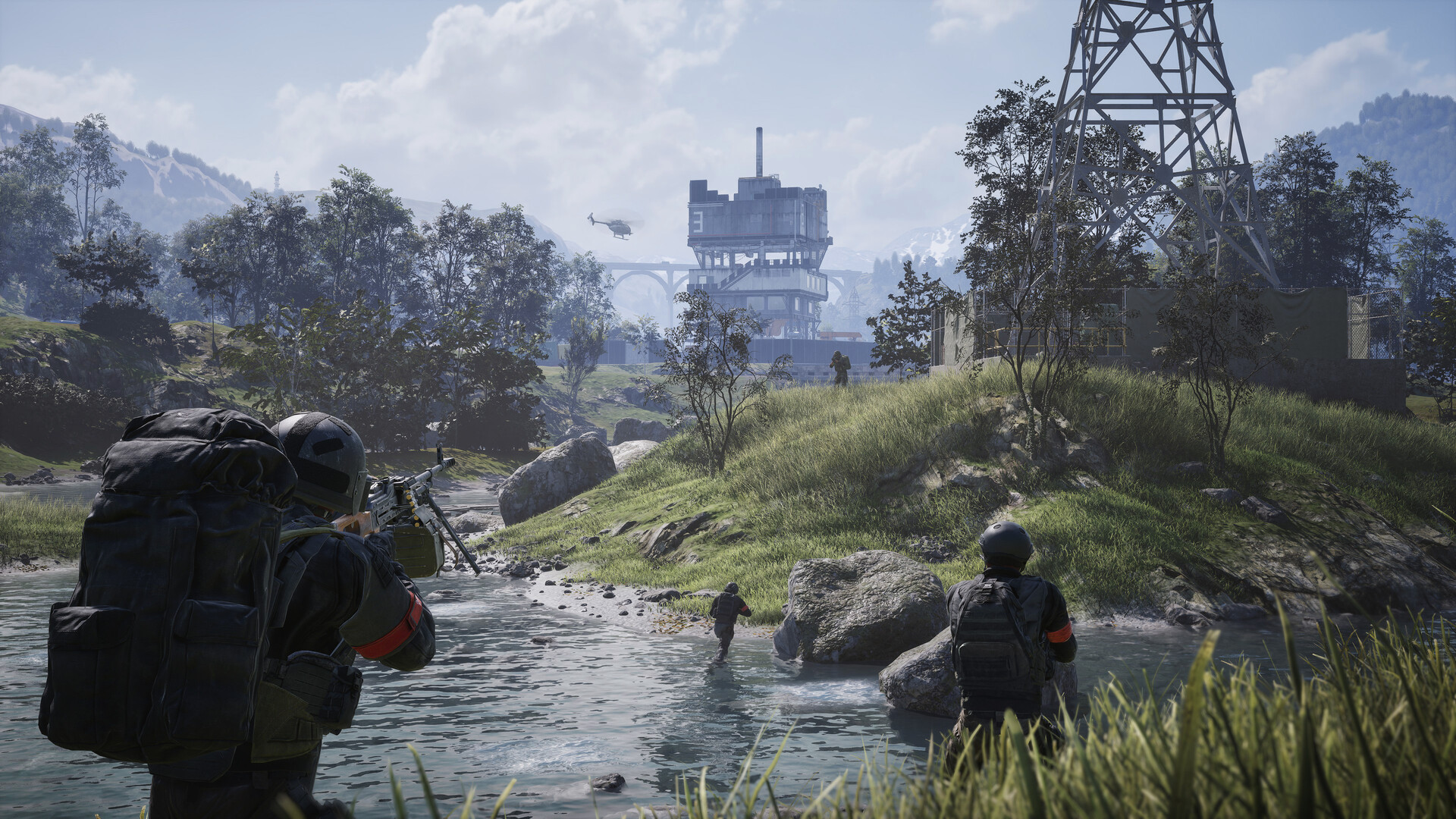
BULKHEAD / Team17. The Hero uses an official Steam game screenshot as a visual introduction. It is not evidence for Season 2 mechanics, prices or rewards.
Still missing: complete current startup bills, a confirmed streak formula and reset rules, an air-transport cash-fine schedule, and comparable net earnings per hour. These gaps remain gaps. No values have been filled with estimates.
![Exact hotbar detail from the same named Bandage frame, including position [4].](images/bandage-hotbar-detail-20261024.png)